

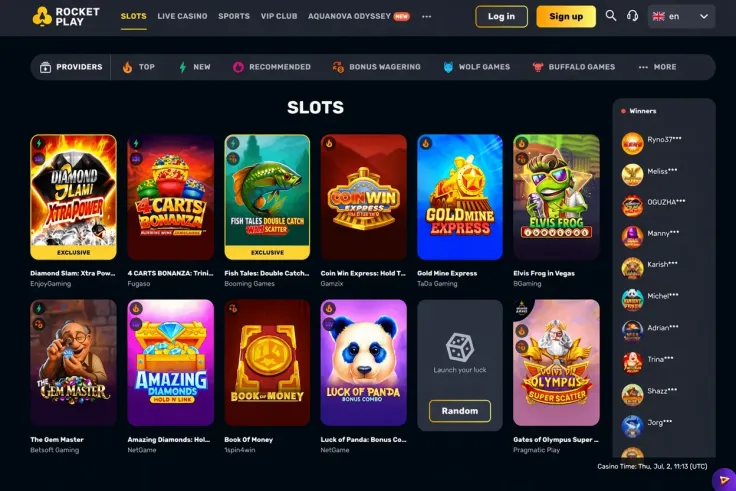
A Rocketplay Casino deposit takes a few minutes of preparation and a short visit to the cashier. The steps above show the order: log in, open the cashier, choose a method, enter an amount of at least C$20 and confirm. This page covers what to have ready, what differs between the methods and what to do if a payment does not go through.
Have your account details to hand and the payment method you plan to use within reach, whether that is a bank login, an e-wallet or a crypto wallet. If you have not registered yet, start with the sign-up guide, and if you are returning, see the login page.
What stands behind the deposit steps

Minimum amount and payment methods
The minimum deposit is C$20, whichever method you choose. The payment methods are Interac, Visa, Mastercard, Skrill, Neteller, MiFinity, MuchBetter, Neosurf, CashtoCode, Bitcoin, Ethereum, Tether (USDT) and Bank transfer. Some methods are listed for deposits, some for withdrawals and some for both, so check the methods table above before you pick one. Look at the column for the direction you need, and do not assume that a method works both ways.
In general, the methods work in different ways. Bank-based options such as Interac, Visa, Mastercard and bank transfer run through your bank, so your bank's own processing and limits apply. E-wallets such as Skrill, Neteller, MiFinity and MuchBetter need a funded wallet account before you start. Vouchers such as Neosurf and CashtoCode are bought elsewhere and then entered in the cashier. Bitcoin, Ethereum and Tether (USDT) are crypto methods, where you send funds from your own wallet.
Check the details before you confirm
Before you approve a payment, check the amount, the currency and any fee shown on the confirmation screen. Fees and conversion charges can come from Rocketplay Casino, from your bank or from the wallet provider, and the cashier is the place to see which apply. If a method converts currency, the amount that leaves your account can differ from what you entered, so compare the two figures.
Crypto deposits need extra care. Send only the coin and network that the cashier asks for, because a transfer on the wrong network may not arrive. Crypto prices also move, so the value of a transfer in C$ can change between the moment you send it and the moment it arrives.
Identity and account checks
Identity verification is required at Rocketplay Casino. Have a government-issued photo ID ready, and be prepared to confirm your address. You must be 19 or older, the legal gambling age in most provinces, and you must pass age and identity checks. The verification guide explains the documents and the process.
A good habit is to deposit only from a payment method in your own name. Payment providers and casinos match the name on the account to the name on the payment method, and a mismatch is a common reason for a failed deposit or a later query from support. Use a method that belongs to you, not a partner's or a friend's.
If you plan to deposit for an offer, read its terms before you pay. The welcome bonus page covers the offer, and T&Cs apply.
Plan the withdrawal side when you choose the deposit method. The methods table shows, for each method, whether it applies to deposits and to withdrawals. If you want to use the same method in both directions, pick one that shows Yes in both columns. The withdrawals guide covers the cash-out side in detail.
19+ · T&Cs apply
Common deposit problems and what to do

The payment is declined
A declined payment usually has a simple cause. Check that the amount is at least C$20, that the payment details are typed correctly and that the method has enough funds. Banks sometimes block gambling transactions, so a card or bank payment can be refused on your bank's side. In that case, contact your bank or choose a different method from the list.
Do not retry the same payment many times in a row. Each attempt can create a separate hold on your funds, which may take time to clear. Wait, check your balance and your bank or wallet history, then try again once.
The money left your account but the balance has not changed
First check your bank, wallet or crypto transaction history to see whether the payment is complete or still pending. If it shows as complete and your Rocketplay Casino balance has not changed, contact support. Give the date, the amount, the method and the transaction reference from your bank, wallet or blockchain record. Screenshots help, and they keep the conversation short.
For crypto, the transaction ID is the key item. Support can trace a transfer with it, and you can also check its status yourself on a blockchain explorer for that coin.
The method is missing from the cashier
The methods listed above are the methods for the account. If one is missing when you open the cashier, check the methods table to see whether that method is marked for deposits at all. Some entries, such as Bank transfer, are not marked for deposits. If the table shows Yes and you still cannot see the method, ask support before you try a workaround.
The deposit works but verification is requested
A request for documents does not mean something has gone wrong. Upload clear, complete and current files, and make sure the name matches your account. Blurred, cropped or expired documents are a common reason for repeat requests. Do not try to get around identity checks with another person's documents or payment method.
When to contact support
Support is available by live chat and by email. Live chat hours are: Live chat 24/7. Use chat for a payment that has not arrived, and email for anything that needs attachments, such as statements or screenshots. The contact page lists the routes in one place. You can also look at the FAQ for quick answers to common questions.
Tips for a safe deposit

Enter your password only on Rocketplay Casino's own website. This site has no login or payment form, so do not type your account or card details anywhere on it. If you reach the casino through a link, check the address in the browser before you log in. Use a unique password that you do not use elsewhere, and keep your e-wallet and email passwords just as strong.
Set a deposit limit before you pay, so that the amount you put in is one you decided on in advance. Treat it as the cost of entertainment, not as a way to make money. If you want to adjust limits, take a break or close your account, the safer gambling page explains the options.
Keep a record of your deposits. Your bank or wallet statement shows what you sent and when, and a short note of the date, amount and method makes any later conversation with support quicker. Keep your verification documents in a folder where you can find them quickly.
Use the same name on your casino account, your payment method and your documents. Differences in spelling or a nickname on a wallet account can cause a failed payment or an extra check.
Finally, do not rely on a payment arriving by a set time. The cashier and your bank or wallet show the status of each payment, so check there before you contact support. For anything about cashing out, the withdrawals page is the next step.